Controls for Bowser’s Fury
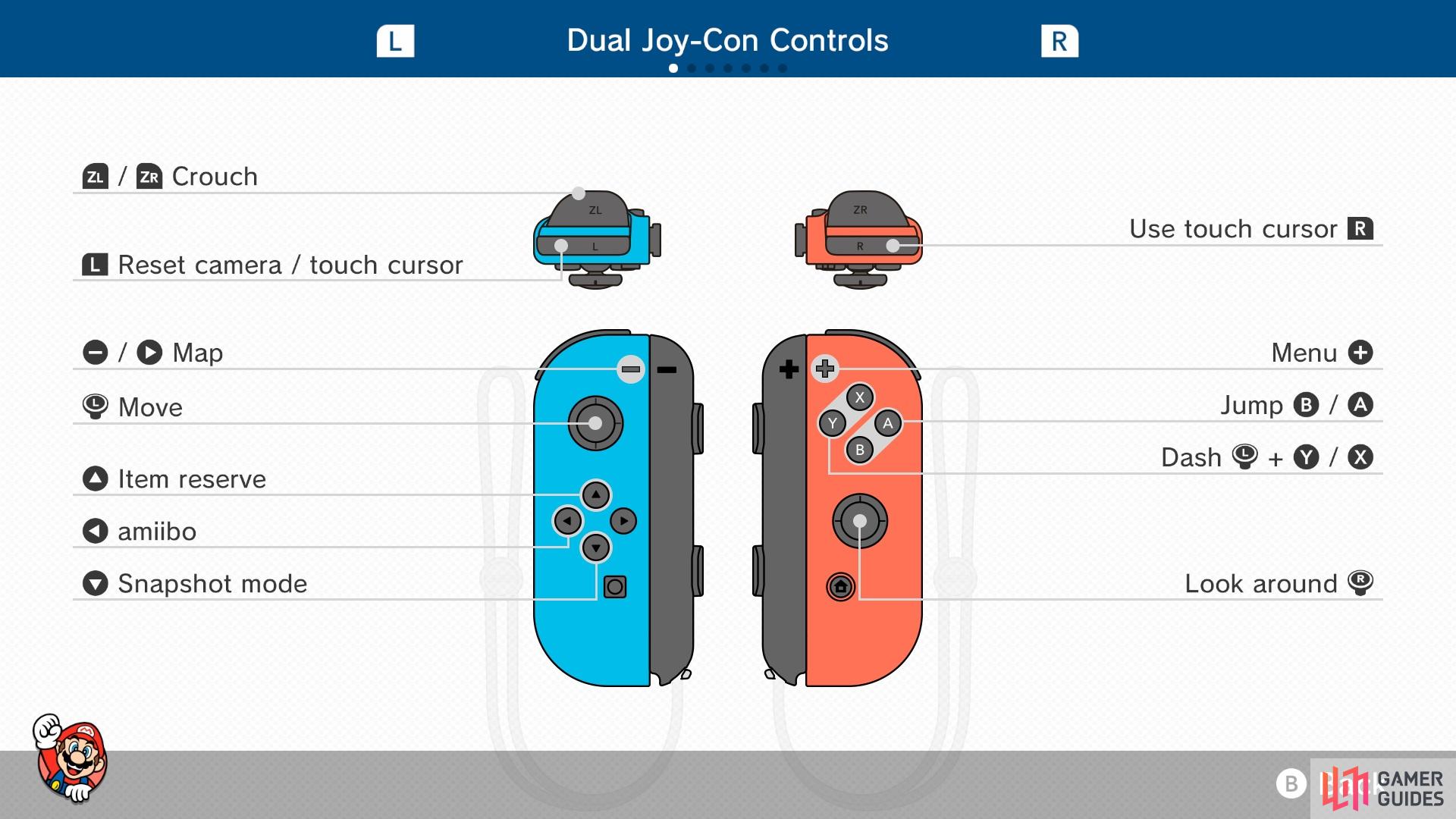
Basic Controls
| Controls |
Move |
| Left Analog |
Move |
| Right Analog |
Move camera |
| A/B Button |
Jump |
| Y/X (with Left Analog) |
Dash |
| R Button |
Use touch cursor |
| L Button |
Reset camera/touch cursor |
| ZL/ZR |
Crouch |
| Plus (+) Button |
Menu |
| Minus (-)/Right D-Pad |
Open map |
| Down D-Pad |
Snapshot Mode |
| Left D-Pad |
Amiibo |
| Up D-Pad |
Item Reserve |
Advanced Controls
| Move |
Controls |
| Hold item |
Press Y near item |
| Throw item |
Press Y while holding item |
| Spin |
Rotate Left Analog |
| Spin Jump |
Jump while spinning |
| Crouch Jump |
Crouch, then jump when Mario is shaking |
| Ground Pound |
Press Crouch button while in the air |
| Ground Pound Jump |
Crouch button while in the air, then Jump button when you hit the ground |
| Long Jump |
While moving, press Crouch + Jump buttons |
| Roll |
Hold crouch, then press X/Y |
| Really Long Jump |
During a Roll, press jump |
| Midair Roll |
While in midair, press ZL/ZR + B/A |
| Side Somersault |
While running, tilt Left Analog in opposite direction and jump |
| Wall Jump |
While touching a wall midair, press jump |


No Comments